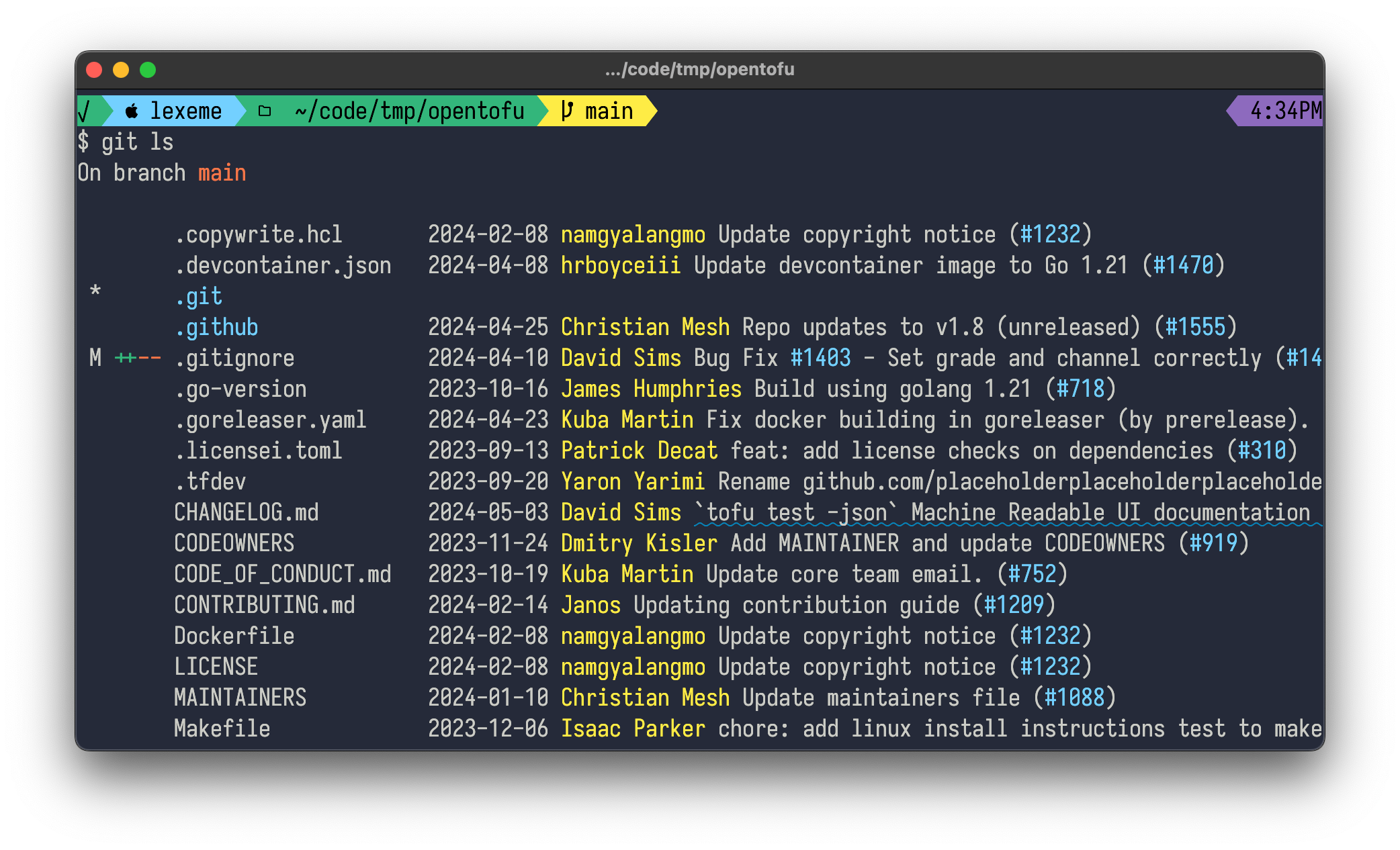
list the files in the current directory along with a useful summary of their git status and helpful hyperlinks.
The output is nicely colored:
In a terminal that supports OSC8
links such as kitty, iterm or wezterm, git ls will
provide helpful hyperlinks.
In a properly-configured terminal, this means that you can click on filenames to open them in your preferred editor, or click on a PR number in a commit status to go straight to that PR in your browser.
brew install llimllib/git-ls/git-lsgit-ls anywhere on your path, and you can then call
it as git lsRun make, which will result in a git-ls
binary in the current directory
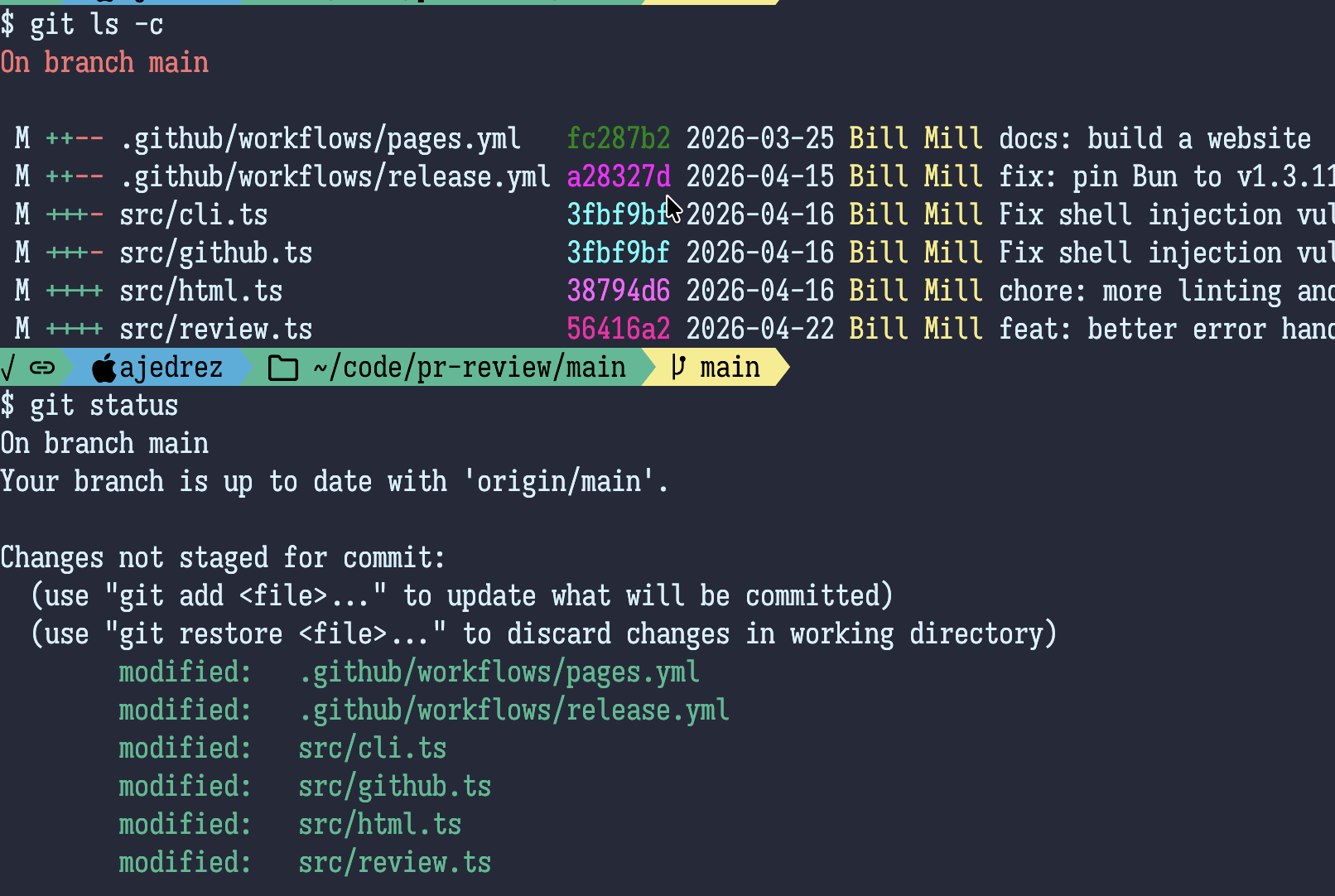
When git-ls is run with -c or
--changed-only, it reports only the files that have
changed, which makes it function similarly to
git status
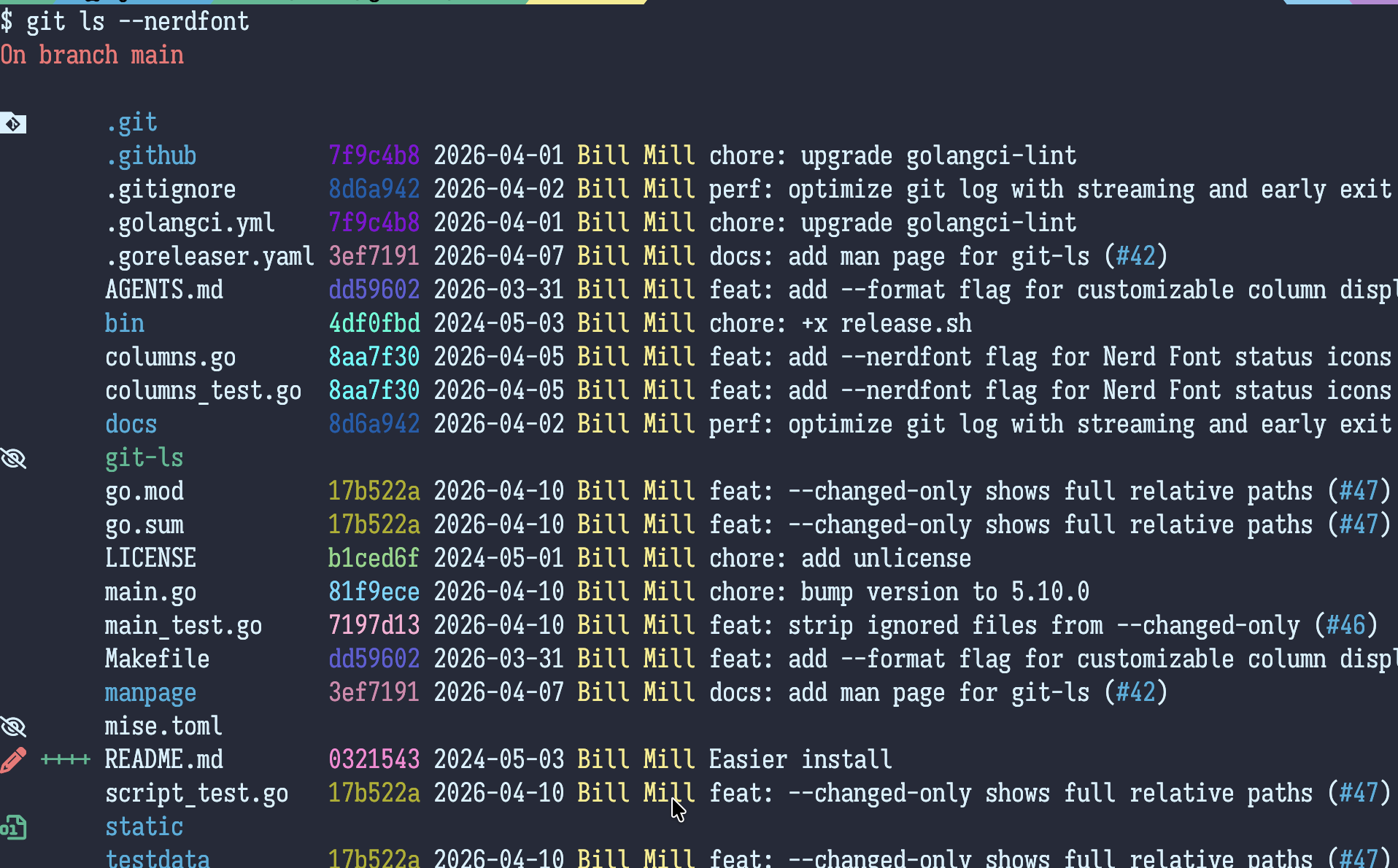
When git-ls is run with --nerdfont, it uses
an experimental mode with icons replacing the traditional letters that
git status uses to report modifications, additions, and
ignored files:
This is still very WIP, let me know if you like it or have suggestions for changes